Linksys Router Login
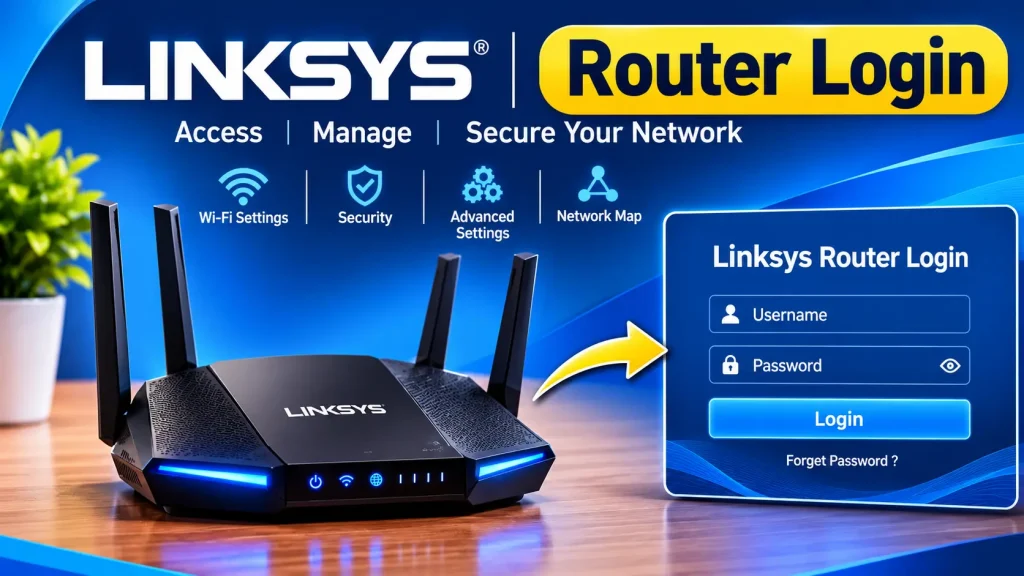
To access your Linksys router settings, connect your phone or computer to the router’s Wi-Fi network or use an Ethernet cable. Open a web browser and enter http://myrouter.local or your router’s local IP address, commonly 192.168.1.1. Enter your administrator password to access the Linksys router dashboard. Some models may require HTTPS.
Router Brand Login Guides
Pick your router brand, we’ll open the right page
Select your router brand below. Your current brand opens its official login page, and every other brand opens its own step-by-step login guide in a new tab.
Default IP
Opens
Official login page
Linksys Router Login: Quick Answer
How to log in to a Linksys router:
- Connect your phone or computer to your Linksys Wi-Fi network or use an Ethernet cable.
- Open a web browser and type http://myrouter.local in the address bar.
- If it does not open, try http://192.168.1.1 or your router’s current gateway IP.
- Enter your Linksys administrator password.
- Click Login to access the router settings.
Default password: Many unconfigured Linksys Smart WiFi routers use admin as the default administrator password, but this varies by model and setup.
Security tip: Change the default administrator password after your first login.
How to Log In to a Linksys Router
Follow these steps to access your Linksys router admin page:
- Connect your device to the main Linksys Wi-Fi network or an Ethernet LAN port.
- Open Chrome, Firefox, Edge, or another browser.
- Enter myrouter.local in the address bar.
- If the page does not open, try 192.168.1.1. Some models may require HTTPS.
- Enter your router administrator password.
- Open the settings dashboard to manage your network.
Once logged in, you can change your Wi-Fi password, manage connected devices, configure guest access, and update supported security settings.
What Is the Default Linksys Router Password?
Many unconfigured Linksys Smart WiFi routers use admin as the default administrator password. However, the login details can vary by model, firmware, and internet provider.
If the password does not work:
- Check the label on your Linksys router.
- Review the user manual for your exact model.
- Use the administrator password created during setup.
- Check whether your internet provider changed the login details.
Important: Your Linksys admin password is different from your Wi-Fi password and Linksys cloud account password. Each may be used for a different type of access.
How to Change Your Linksys Wi-Fi Name and Password
You can update your wireless network name (SSID) and password through the Linksys router dashboard or a supported app.
- Log in to your Linksys router.
- Open Wireless or Wi-Fi Settings.
- Change your Wi-Fi network name if needed.
- Enter a strong, unique Wi-Fi password.
- Select WPA2-Personal or WPA3-Personal if supported.
- Click Save or Apply.
Your devices may disconnect after saving the changes. Reconnect them using the new Wi-Fi password.
How to Find Your Linksys Router IP Address
If myrouter.local or 192.168.1.1 does not open, check the default gateway on a device connected to your Linksys network.
- Windows: Open Command Prompt, type
ipconfig, and find Default Gateway. - Mac: Open System Settings, select Network, and check your active connection details.
- Android or iPhone: Open your connected Wi-Fi network details and look for Router or Gateway.
Enter the displayed address in your browser to open the router login page.
Linksys Router Login Not Working? Try These Fixes
If you cannot access your Linksys admin page, try these solutions:
1. Check Your Connection: Connect to the main Linksys Wi-Fi network or use an Ethernet cable. Guest networks may block local router access.
2. Verify the Login Address: Try myrouter.local or your router’s current gateway IP. Some models require HTTPS.
3. Check Your Password: Make sure you are entering the administrator password, not the Wi-Fi or Linksys cloud account password.
4. Try Another Browser: Open the login page in another browser or clear your browser cache.
5. Check Browser Warnings: Some models use a local HTTPS certificate that may trigger a browser warning. Follow the official Linksys instructions for your model and do not ignore unrelated security warnings.
6. Restart Your Router: Restart the router, wait for it to boot completely, and try logging in again.
Forgot Your Linksys Router Password? How to Recover Access
If you have forgotten your Linksys administrator password, check whether your model supports password recovery using a recovery key printed on the router label.
If recovery is unavailable, a factory reset may be required. Locate the physical Reset button and follow the reset instructions for your exact Linksys model.
Note: A factory reset erases custom settings, including your Wi-Fi name, password, and internet configuration. Use it only as a last resort.
Linksys App and LinksysSmartWiFi.com Access
Some Linksys routers support management through the official Linksys app or LinksysSmartWiFi.com.
Depending on your model, you may need a Linksys cloud account or your local router administrator password. Cloud-based access may require an internet connection, while local router access generally requires your device to be connected to the router network.
Available features vary by model and firmware.
How to Secure Your Linksys Router
After accessing your Linksys router settings, follow these basic security steps:
- Change the default administrator password.
- Use WPA2 or WPA3 wireless security if supported.
- Install available firmware updates.
- Disable remote management if you do not need it.
- Review connected devices regularly.
- Keep your recovery information and internet settings secure.
Frequently Asked Questions
What is the Linksys router login address?
Many Linksys routers use myrouter.local or 192.168.1.1. The correct address and HTTPS requirement depend on your router model.
What is the default Linksys router password?
Many unconfigured Linksys Smart WiFi routers use admin as the default password. However, this may differ depending on the model and setup.
Is the Linksys admin password the same as the Wi-Fi password?
No. The administrator password opens the router settings, while the Wi-Fi password connects your devices to the wireless network.
Can I access my Linksys router without internet?
Yes. Local router access generally works when your device is connected to the router, even if the internet connection is unavailable. Cloud-based access may require internet.
Will resetting my Linksys router fix a forgotten password?
A factory reset may restore access, but it also erases custom router settings. Follow the official reset instructions for your exact model and configure the router again afterward.
Conclusion
Linksys router login gives you access to your wireless network settings, connected devices, and security options. Open myrouter.local or your router’s correct IP address, such as 192.168.1.1, and enter your administrator password. If login fails, check your network connection and credentials before considering a factory reset.

Hi, I’m James. I’ve spent 10 to 11 years working hands-on with home networking setups and router configurations, helping everyday users troubleshoot and get online quickly. I created 19216811-login.com to share clear, tested guides for logging into and configuring your router, based on that real-world experience. My goal is to make router setup simple for everyone, one guide at a time.